Element Smart TV Remote
NabaHouse & Home
4.543.00 Reviews
- Version
- 5.0
- Installs
- 50.00K
- Age Rating
- Everyone
Screenshots
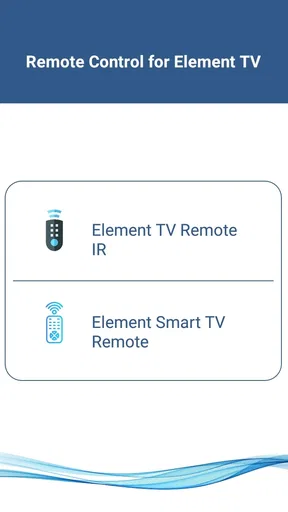
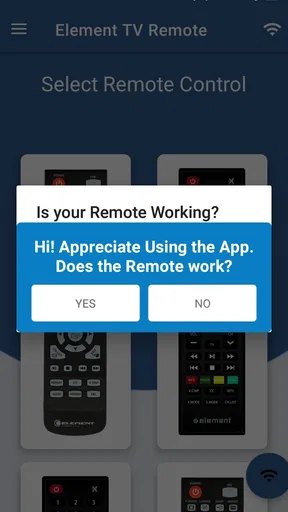
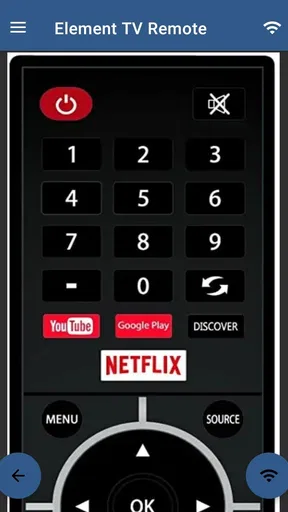
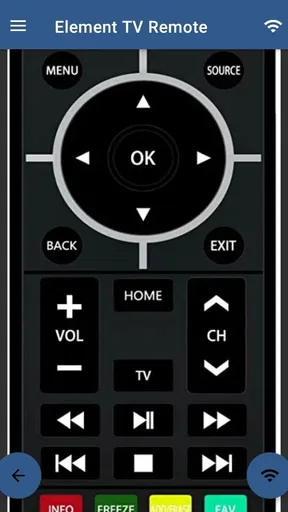
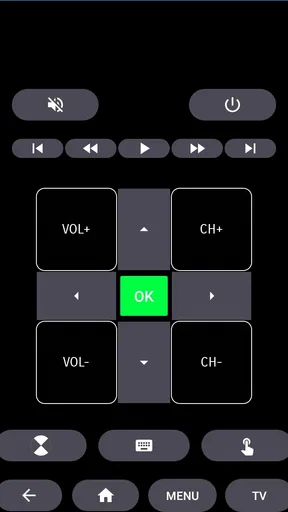
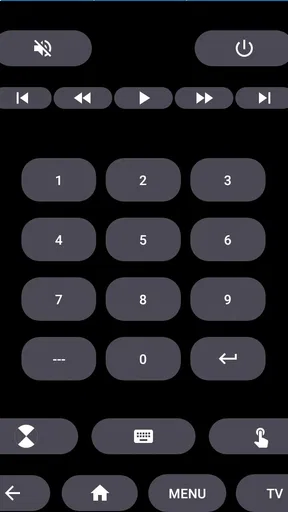
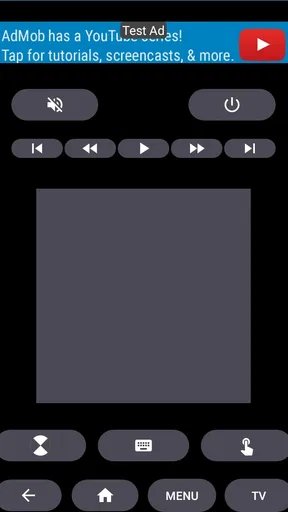
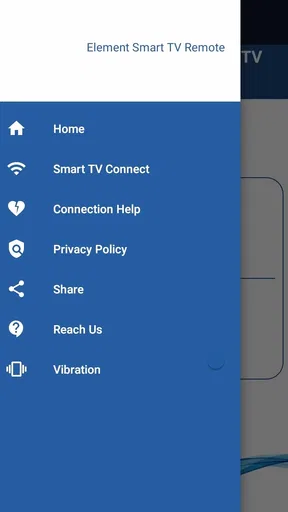
Our Review of Element Smart TV Remote
 Analysis by Appyee
When the physical remote disappears between the sofa cushions, a phone can be a surprisingly practical replacement. I tested Element Smart TV Remote with that simple situation in mind, and my overall impression is straightforward: it is most useful when your Element television and phone are already connected to the same home network and you want basic control without searching for batteries. The app is free, aimed at everyone, and belongs to the House & Home category rather than trying to be a general media-control tool.
That focus is both its appeal and its main limitation. You are not downloading a universal remote for every device in the living room. You are choosing a phone-based controller made for an Element Smart TV. In my experience, that makes the decision less about flashy extras and more about three practical questions: does your television fit the intended setup, is your phone on the same Wi-Fi connection, and are you comfortable using a touchscreen instead of physical buttons?
What to consider before replacing the remote
The first thing I would check is the network arrangement. The app is designed to work when the mobile device and the Element Smart TV share the same Wi-Fi network. That sounds simple, but it matters more than almost anything else. If the television is connected by one network and the phone is using mobile data, a guest network, or a different router connection, the controller may not behave as expected. I make this check before blaming the app, because network separation is a common source of frustration with phone remotes.
There is also a difference between having Wi-Fi available and having both devices visible to each other. In a typical home, connecting both to the main household network is the cleanest approach. If your router offers separate guest access, I would avoid placing only one device there. A guest network can deliberately prevent devices from communicating, which defeats the basic discovery process a remote app needs.
The second decision is how you use your television. If you mostly turn it on, adjust volume, change inputs, and navigate menus, a mobile remote can cover the moments when the original controller is missing. If you spend a lot of time entering passwords, searching for films, or moving rapidly through long lists, a touchscreen may feel slower than a physical remote. The app is convenient, but convenience does not automatically mean it is the best interface for every task.
I would also think about the phone itself. A phone is usually nearby, but it may be locked, charging, being used by someone else, or running low on battery. A dedicated remote remains instantly available and does not compete with calls, messages, or other apps. Your choice therefore depends on whether you want a backup controller, a replacement for a lost remote, or your everyday way to operate the television.
Getting the first connection right
My recommended setup is deliberately boring: connect the television to the normal home Wi-Fi, connect the phone to that same network, open the app, and give it a moment to identify the TV. Keeping the phone close to the router or television during the first attempt can make troubleshooting easier, even though proximity is not a substitute for being on the same network.
If the TV does not appear, I would not immediately reinstall anything. First, I would check the Wi-Fi name on both devices, turn off mobile data temporarily, and make sure the phone has not automatically moved to a stronger-looking network. I would then close and reopen the app, and if necessary restart the television and phone. These are ordinary steps, but they save time because the connection depends on the local network rather than a remote internet service.
One useful habit is to test the controller while the physical remote is still available. That lets you confirm the connection without being stuck at an awkward screen. I would try power, volume, navigation, and input controls first. If those basic actions work, you can decide whether the phone layout suits longer sessions before putting the original remote away.
Where Element Smart TV Remote makes sense
The strongest use case is the forgotten-remote scenario. Imagine starting a film after dinner and realizing the physical controller is in another room, under a blanket, or simply nowhere to be found. If the television and phone are already on the same Wi-Fi, opening the app can be faster than searching the house. I especially like this as a backup because the phone is something I normally keep within reach.
It can also help in a shared home where the remote frequently migrates. Rather than asking who last used it, each person can use a compatible phone when they need basic control. That does not mean every household member will prefer it, but it reduces dependence on one small object. For older family members, the value may be less obvious: a phone screen can be easier to locate than a dark remote, although the touch controls may require a little adjustment.
Another practical situation is temporary accommodation or a recently moved television. When the original remote is packed away, misplaced, or not immediately available, a phone controller can bridge the gap. I would still treat it as a convenience tool rather than a guarantee that it will solve every setup problem. The same-network requirement remains central, and the television must be an Element Smart TV suited to this kind of control.
The app is also appealing because there is no purchase decision at the point of installation. Element Smart TV Remote is free, so testing it costs nothing beyond the time needed to connect it. That makes experimentation reasonable: if it works with your setup and you like the controls, you have a useful backup. If the touch experience is not comfortable, you can return to the physical remote without having paid for a failed experiment.
What I found useful in everyday handling
A phone remote changes the way I think about control. With a physical remote, I often operate by feel, using raised buttons and familiar spacing without looking down. With a touchscreen controller, I need to look at the phone more often. The benefit is that the device is easy to locate and does not require a separate object, while the drawback is that quick, blind button presses are less natural.
For occasional adjustments, that trade-off is acceptable. I can pick up the phone, make the change, and put it down. For repeated channel changes or long navigation sessions, the physical remote feels more efficient. This is an important distinction: the app’s value is highest when availability matters more than speed.
I would keep the app in an easy-to-reach place on the phone rather than burying it in a folder. That small change makes it function like a real backup instead of an emergency download that must be found while the TV is already waiting. If several people use the television, agreeing on the same network and keeping the app installed on at least one nearby phone can make the arrangement more dependable.
The developer is Naba, and the app has reached over fifty thousand installs with an average rating of 4.5 from around four hundred ratings. Those figures suggest that many people find the basic idea useful, but I would not treat popularity as proof that it will suit every Element television or every home network. Compatibility in this kind of app is experienced at the individual setup level.
Small workflow changes that improve the experience
One non-obvious advantage is that troubleshooting becomes easier when you separate discovery problems from control problems. If the app cannot find the television, focus on Wi-Fi and device visibility. If it finds the TV but a particular action feels awkward, the issue is more likely to be the touchscreen workflow or the way you use that command. Thinking in those two stages prevents random changes and makes it clearer whether the app is worth keeping.
A second useful approach is to use the phone controller for simple actions and reserve the physical remote for demanding ones. I would use the app for volume, power, or a quick input change, then reach for the original remote when typing or navigating a large on-screen keyboard. This hybrid workflow avoids forcing one tool to do everything and is often more comfortable than choosing a single permanent replacement.
A third consideration is household reliability. If the router is restarted, the phone changes networks, or the TV reconnects differently, the controller may need another connection attempt. I would not rely on it as the only way to operate the television in a home where network access is frequently interrupted. It is better viewed as a network-dependent convenience than as a mechanical substitute that works independently of the rest of the setup.
When another option may fit better
The usual alternative is the original Element remote. It wins on immediacy, tactile feedback, and independence from Wi-Fi. You can press buttons without unlocking a phone, and you do not need to worry about another person using the handset. If your physical remote is available and working, I find it remains the more natural tool for long viewing sessions.
A replacement physical remote may be the better choice when several people need access at once, when the television is used by someone who dislikes touchscreen controls, or when the home network is unreliable. I would also favor it for a room where the controller needs to be left permanently beside the TV. A phone app is easy to carry, but that portability can become a weakness when the phone leaves the room.
Universal remote apps represent another category, especially for homes with several brands of televisions, streaming devices, sound systems, or set-top boxes. Their broader scope can be useful if you want one controller for a mixed setup. However, broader compatibility often brings more setup decisions. If your only target is an Element Smart TV, a focused app can be easier to understand than a large universal tool.
Voice assistants and smart-home routines may suit people who prefer hands-free commands, but they are a different kind of solution. They can be convenient for a few common actions, while a screen-based remote gives you direct access to controls. I would not switch to a voice-first setup simply to solve a missing physical remote; for this particular problem, a phone controller is usually more direct.
There is also a privacy and attention trade-off in using a phone. A physical remote is a single-purpose object. A phone brings notifications, calls, and distractions into the viewing experience. I have found that this matters more during relaxed evening watching than during a quick adjustment. If you want the television interaction to stay separate from your personal device, the traditional remote is the cleaner choice.
Who should skip it
I would skip this app if your Element television is not connected to Wi-Fi, if your phone cannot join the same network, or if you need a controller that works without network coordination. I would also look elsewhere if your main requirement is controlling multiple brands and devices from one interface. The focused design is useful precisely because it is not trying to replace every remote in the house.
It may not be ideal for someone who relies on tactile buttons, has difficulty using small touchscreen controls, or regularly types long searches on the TV. In those cases, the app can still be a backup, but I would not make it the primary controller. A physical remote, a keyboard-equipped accessory, or another purpose-built option may be more comfortable depending on the setup.
Finally, people who expect a phone remote to solve every connection issue should set their expectations carefully. The app cannot remove the need for a functioning TV network connection. If the television is offline or the phone is isolated on another network, the convenience disappears until the underlying setup is corrected.
How much effort switching really takes
Because the app is free, the main cost of switching is not money; it is adjustment. You need to remember where the app is, unlock the phone, confirm the network, and learn the touch layout. For occasional use, that effort is small. For constant use, the repeated phone handling may become more irritating than keeping a physical remote nearby.
The easiest transition is to treat it as a safety net for a few days. Keep the original remote available, use the app for routine actions, and notice which controls feel natural and which feel slow. This gives you a realistic answer without committing the household to a complete change. If everyone finds the phone controller acceptable, it can become the default. If not, it has still earned its place as a backup.
The app runs on Android devices from version 4.4 onward, which makes it accessible to people using older Android hardware. Its current version is 5.0, and it was released on April 19, 2022. I would still judge the experience by the phone and television combination in front of me, because an older supported operating system does not guarantee that every modern network arrangement will feel equally smooth.
The age classification is Everyone, which matches the app’s straightforward purpose. There is no purchase barrier to trying it, and the basic concept is easy to explain to another household member: put the phone and Element television on the same Wi-Fi, open the controller, and test the essential buttons. That simplicity is one of its strongest qualities.
My recommendation for different households
For a person who has misplaced the original remote, I recommend trying it first. The free installation makes the experiment low-risk, and the same-Wi-Fi requirement is clear enough to check before spending time troubleshooting. I would keep the physical remote nearby until power, volume, navigation, and input changes all work as expected.
For a shared family room, I recommend it as a secondary controller rather than an automatic replacement. It is handy when the remote is missing, but a dedicated physical controller remains more dependable when phones are being charged, borrowed, or used by someone else. The hybrid approach gives you convenience without creating a single point of failure.
For a multi-device entertainment setup, I would compare it with a broader universal solution before settling in. A dedicated Element controller can be pleasantly uncomplicated, while a universal option may reduce the number of apps and remotes you need. The better choice depends on whether simplicity for one television or coverage across the whole room matters more.
After using it as a decision rather than a novelty, I see Element Smart TV Remote as a sensible backup for compatible homes. Its best feature is not an elaborate collection of extras; it is the ability to turn a nearby phone into a practical controller when the original remote is unavailable. The same-network requirement and touchscreen limitations are real, so I would not promise it as a universal replacement. Still, for free, everyday access to basic Element Smart TV control, it is worth trying.
My final advice is to test it before you need it. Connect both devices to the main home Wi-Fi, confirm the essential controls, and decide whether the phone feels comfortable for your viewing habits. If it does, you have a convenient fallback ready for the next lost-remote moment. If it does not, you will know early that a physical or broader alternative is the better investment. The right choice is the one that keeps control available without adding more friction to watching TV.
Verdict
Strengths of Element Smart TV Remote
- Works with many Element TV models over the same Wi‑Fi network.
- Simple layout makes basic controls easy to find.
- Useful replacement when the physical remote is lost or damaged.
- Usually responds quickly to volume and channel commands.
- No extra hardware is needed on compatible smart TVs.
Limitations of Element Smart TV Remote
- Requires the phone and TV to share the same Wi‑Fi connection.
- Compatibility may vary between older and newer Element models.
- Setup can be difficult if the TV is not already connected to Wi‑Fi.
- On-screen controls may feel less convenient than physical buttons.
- Free versions may include advertisements or limited features.
Other Releases by Naba
View All
HiSense Smart TV Remote
House & Home4.7

Insignia Fire TV Remote
House & Home3.8
Similar Picks in This Category
View All
Universal TV Remote Control
CodeMatics Media Solutions3.9

AlfredCamera Home Security app
Alfred Systems Inc.4.7

Planner 5D: AI Home Design
Planner 5D4.5

Universal Tv Remote-Cast to TV
One Music Player4.1

Zillow: Homes for Sale & Rent
Zillow Group4.8

99acres Buy/Rent/Sell Property
infoedge.com4.3
Frequently Asked Questions
What is Element Smart TV Remote, and how does it work?
Element Smart TV Remote is a mobile control app designed to operate compatible Element televisions from an Android or iOS device. After installing it, your phone generally needs to be connected to the same Wi-Fi network as the TV. Depending on the model and app version, you can use it for navigation, volume adjustment, channel changes, power control, and text entry.
Is Element Smart TV Remote compatible with every Element television?
Compatibility is not guaranteed for every Element TV. The app usually works best with newer smart models that support network-based remote control, while older televisions may require an infrared signal or a physical remote. Before downloading, check the app listing, your TV model number, and whether both devices support the same connection method to avoid installation problems.
Does the app require Wi-Fi, Bluetooth, or an infrared sensor?
Most smart-TV remote applications communicate through Wi-Fi rather than Bluetooth or infrared. Your phone and Element TV normally must be connected to the same local network, and the television may need to be switched on or have network standby enabled. If your phone includes an infrared blaster, it may support additional control options, but this depends on the device and app.
Can I use Element Smart TV Remote if I have lost the original remote?
In many cases, the app can replace the original remote for everyday functions, which is useful when the physical controller is missing or damaged. However, initial setup can be difficult if the TV is not already connected to Wi-Fi or if it requires confirmation on the screen. Some features may also remain unavailable without the original remote.
Is Element Smart TV Remote free and safe to download?
The app may be available at no cost, although advertisements, optional purchases, or feature limitations can vary by version and platform. Download it only from the official Google Play Store or Apple App Store, review the listed permissions, and avoid unofficial APK files. Pay particular attention to network and device-access permissions, since they are needed for remote-control functionality.
